How to rename word document? If you’re a frequent computer user and regularly use Word for document editing, your account name is probably set as the document’s author name by default. However, there might be instances where you need to change the author’s name, right? So, in the following, I’ll share how to edit the author’s name in Microsoft Word documents.
How to rename word document?
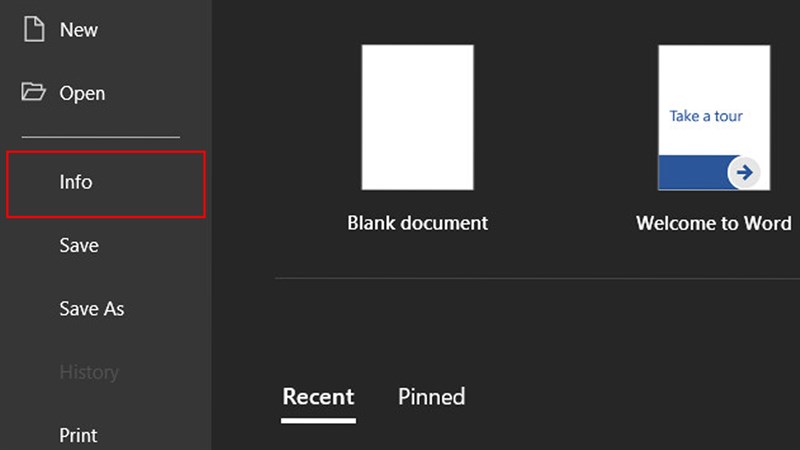
Step 1: First, open the document that needs to edit the name > Select File in the upper left corner of the screen > Next swipe down, above select Info .
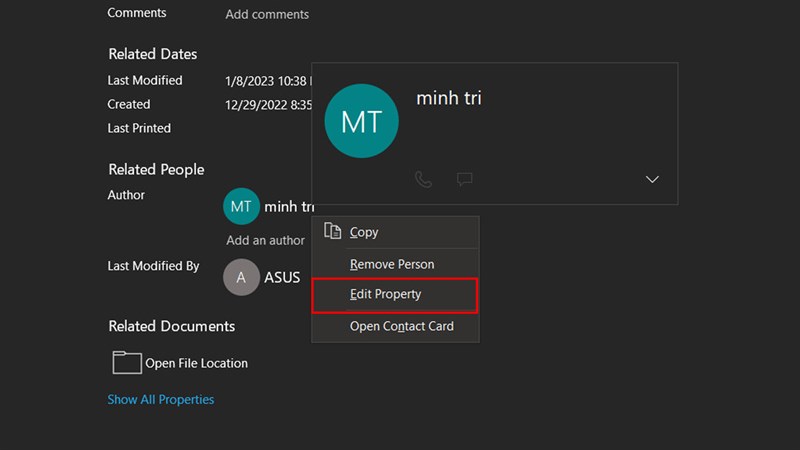
Step 2: Find the Author section, then right-click on the current author name and select Edit Property.
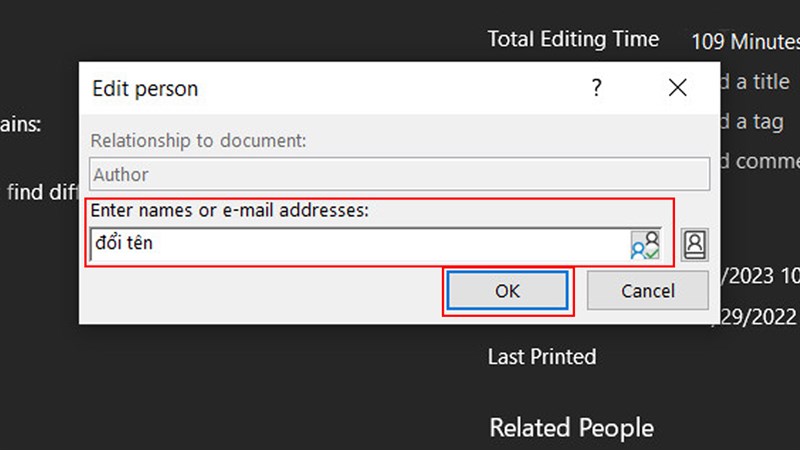
Step 3: Here, correct the author’s name as desired in the Enter names or e-mail addresses section and click OK and you’re done.
So, I’ve shared how to edit the author’s name in Microsoft Word documents. Thank you, everyone, for taking a little time to read my article. If you found it helpful, please give it a like, share it, and don’t forget to leave a comment below.